
Setting up the arr stack on a fresh debian 12 install
1) Install docker & docker compose
# Add Docker's official GPG key:
sudo apt-get update
sudo apt-get install ca-certificates curl
sudo install -m 0755 -d /etc/apt/keyrings
sudo curl -fsSL https://download.docker.com/linux/debian/gpg -o /etc/apt/keyrings/docker.asc
sudo chmod a+r /etc/apt/keyrings/docker.asc

# Add the repository to Apt sources:
echo \
  "deb [arch=$(dpkg --print-architecture) signed-by=/etc/apt/keyrings/docker.asc] https://download.docker.com/linux/debian \
  $(. /etc/os-release && echo "$VERSION_CODENAME") stable" | \
  sudo tee /etc/apt/sources.list.d/docker.list > /dev/null
sudo apt-get update
sudo apt-get install docker-ce docker-ce-cli containerd.io docker-buildx-plugin docker-compose-pluginverify with
sudo docker run hello-world2) Set up docker compose for arr apps
Make a new docker-compose.yaml file (dont forget fields in .env)
3) Getting details for nordvpn
use nordvpn manual setup details (fill in later)
4) Configure arr apps
qbitorrent
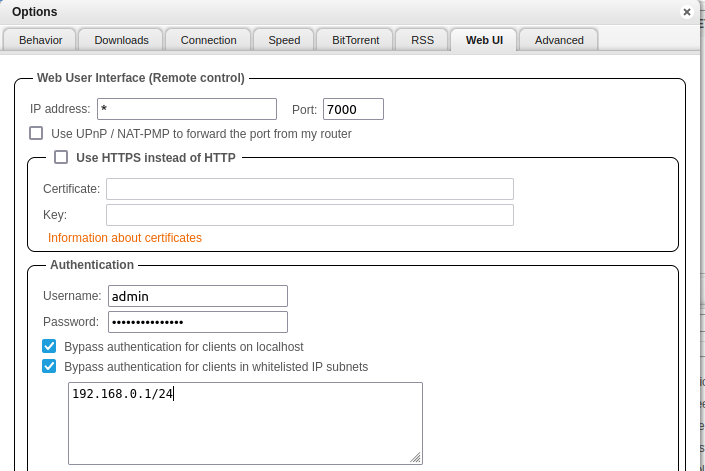
log in (check docker logs for temporary password)
sudo docker logs <container name>Set admin password
(optionally) bypass authentication for clients on localhost and in whitelisted IP subnets
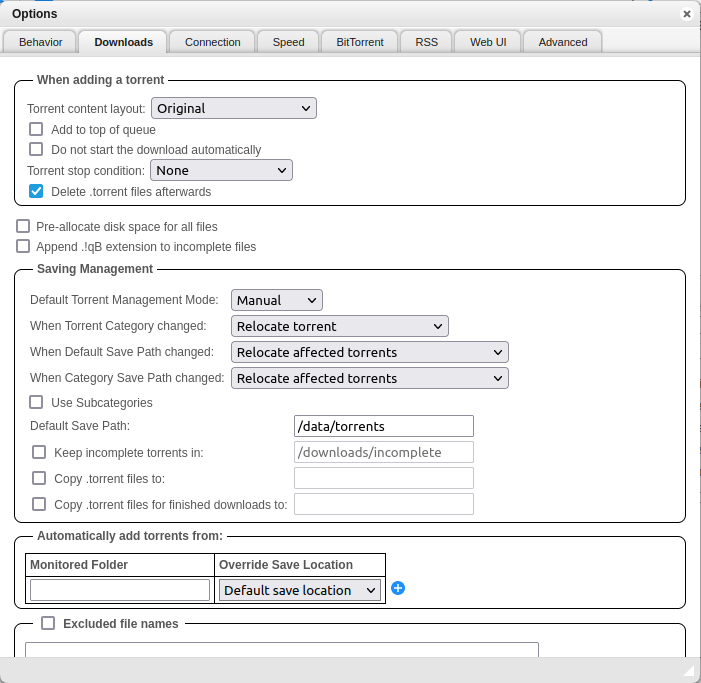
In Downloads settings, set the save path to be the one set in the docker-compose file and set 'When default save path changed' and 'When default category path changed' to 'relocate torrents'
In connections, randomize the listening port
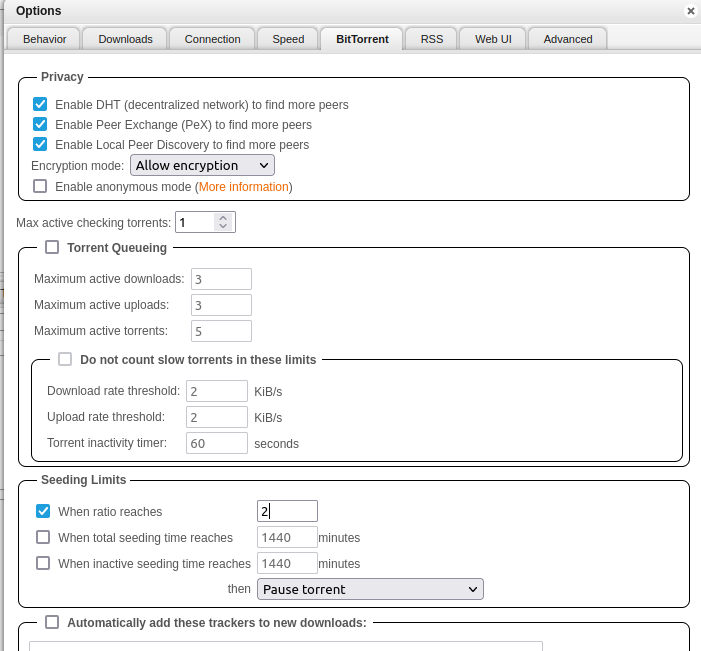
In Bittorrent, set desired seed ratio under seeding limits
Radarr
On first login it will ask you to set a username and password, you can choose to disable authentication for local addresses
Follow https://trash-guides.info/
4) Set up jellyfin
Jellyfin provides a script to install automatically
curl https://repo.jellyfin.org/install-debuntu.sh | sudo bashFor manual install:
5) Set up homepage
Sources
https://docs.docker.com/engine/install/debian/
https://trash-guides.info/
https://jellyfin.org/docs/general/installation/linux